



According to CBS News, the number of Americans who say they’ve had important personal information stolen online is on the rise. According to a survey, 18 percent of online adults said they’d had personal information stolen, such as their Social Security number, credit card or bank account information.
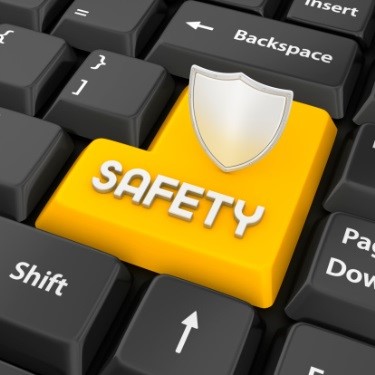
So how can you maintain online security and stay one step ahead of the hackers? Here are some important tips:
Be aware of phishing schemes
Phishing is the attempt to acquire sensitive information such as usernames, passwords, and credit card details by masquerading as a trustworthy entity in an email. Phishing schemes usually come in the form of spam or links designed to trick you into handing over personal data. For example, you may get an email that poses as Facebook, and the message may ask for your password as an update requirement to your account. Scammers also use the logos of legitimate companies to trick you into compromising your privacy.
- To become more aware of these scams, begin by reading the messages. If you notice bad spelling or grammar, chances are that the message came from a disreputable source. Messages with a professional tone are more trustworthy because companies have staff members that write and distribute mass emails, reports Microsoft.
- You should never click on the link of a suspicious email. Doing so can infect your computer with viruses or malware that sends your information to another party. Rest your mouse on a suspicious link to see if the link itself matches the address. If the two do not match, the email is more than likely a scam.
- Cybercriminals may also call and try to sell you a software license, asking for revealing information. If you fall prey to one of these calls, try to get the caller’s contact info – say to call them back – and report them to the authorities immediately.
Use encrypted sites
Encryption is the process of encoding messages or information in such a way that only authorized parties can read it. Encryption essentially locks your information through the process of encoding. The computer or person with an access code can decode that transmitted data. Encrypted sites protect any information you communicate through that website alone.
- Check to make sure a website is encrypted before you provide confidential information.
- Check the privacy policy of a website to know more about its practices. Ensure that the information you send is not being collected and sent to third parties.
- If you are using a public network, find out if the Wi-Fi is secure. A secure network protects all information you send to and from a website.
Never use the same password for multiple sites.
Do not panic if you fall into this category because it is a common mistake among many. With all the usernames and passwords that are required to gain access to multiple sites, it is easy to become complacent and use the same login information. Choosing complex and individualized passwords is one of the best ways of throwing off criminals.
- Choose a combination of upper and lower case letters. Use a mix of numeric and alphabetic letters, and throw in an unusual character to complicate the password.
- Do not write down passwords and usernames in a place where someone can easily find them.
By following these tips, you can keep your finances and confidential information private and secure. Take action now, so you don’t fall victim to those looking to take advantage of your financial success.
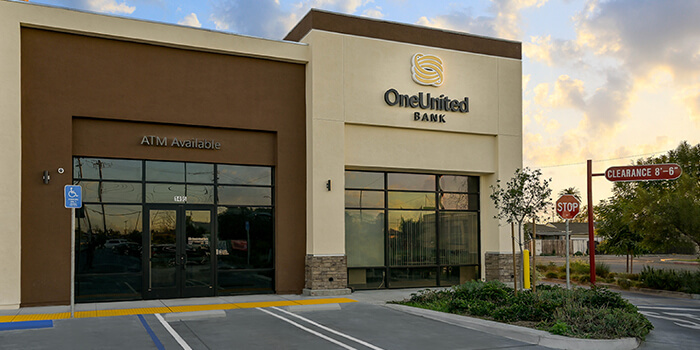
OneUnited Bank is dedicated to creating the most secure online environment possible. We are committed to protecting the confidentiality of your information by using state-of-the-art technology, including encryption and multi authentication, 24×7 (24 hours/day x 7 days/week) monitoring and proven security methods to help ensure that your online sessions are secure.
Recommended Sources:
https://www.oneunited.com/customer-service/privacy-security/
http://www.cbsnews.com/news/more-americans-report-personal-data-stolen-online/
http://www.microsoft.com/security/online-privacy/phishing-symptoms.aspx
http://www.consumer.ftc.gov/articles/0272-how-keep-your-personal-information-secure
http://computer.howstuffworks.com/encryption.htm
http://www.bu.edu/infosec/howtos/how-to-choose-a-password/